
🎛️ MIDI Studio
Hardware MIDI editors that run entirely in the browser. Nothing to install, no account, no server: Web MIDI + SysEx in Chrome / Edge, and your data stays in your browser until you export it.
MIDI Studio is both a workspace that opens several editors in tabs and a shared foundation from which each editor can ship as a standalone app, published separately on GitHub Pages.
Status
Everything is alpha. Each module states exactly what was checked on real hardware and what was not. No permanent memory write (STORE) is ever sent without an explicit action.
What the shared foundation does
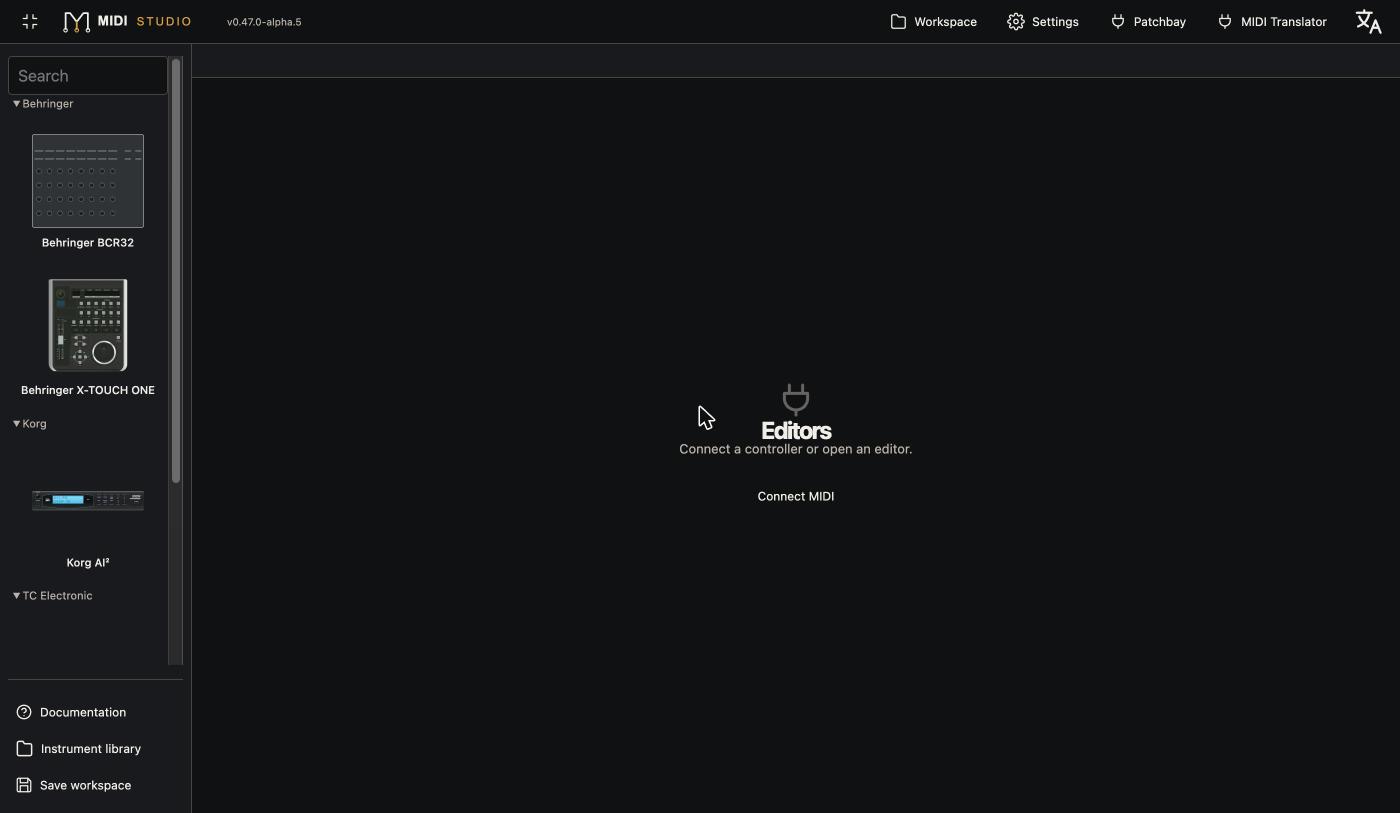
- MIDI connection from the icon next to the Offline / Connected state: ports, channel, device identification. Ambiguous port pairs are never guessed, and a port reserved by one editor is never taken by another.
- MIDI monitor: in / out, CC, grouped NRPN / RPN, notes, Program Change, SysEx, pause and export.
- Instrument library: SysEx banks, MIDI files (SMF) and SoundDiver libraries (LIB), instrument detection, search, favourites, tags, personal banks, and timestamped ZIP backups that keep the original files byte for byte.
- Local history: undo / redo, auto-saved draft, open editors and connections restored after a page refresh.
- Themes and languages: seven global themes, several interface languages, per-editor looks (faithful front panel or modern view).
- Works offline after a first visit.
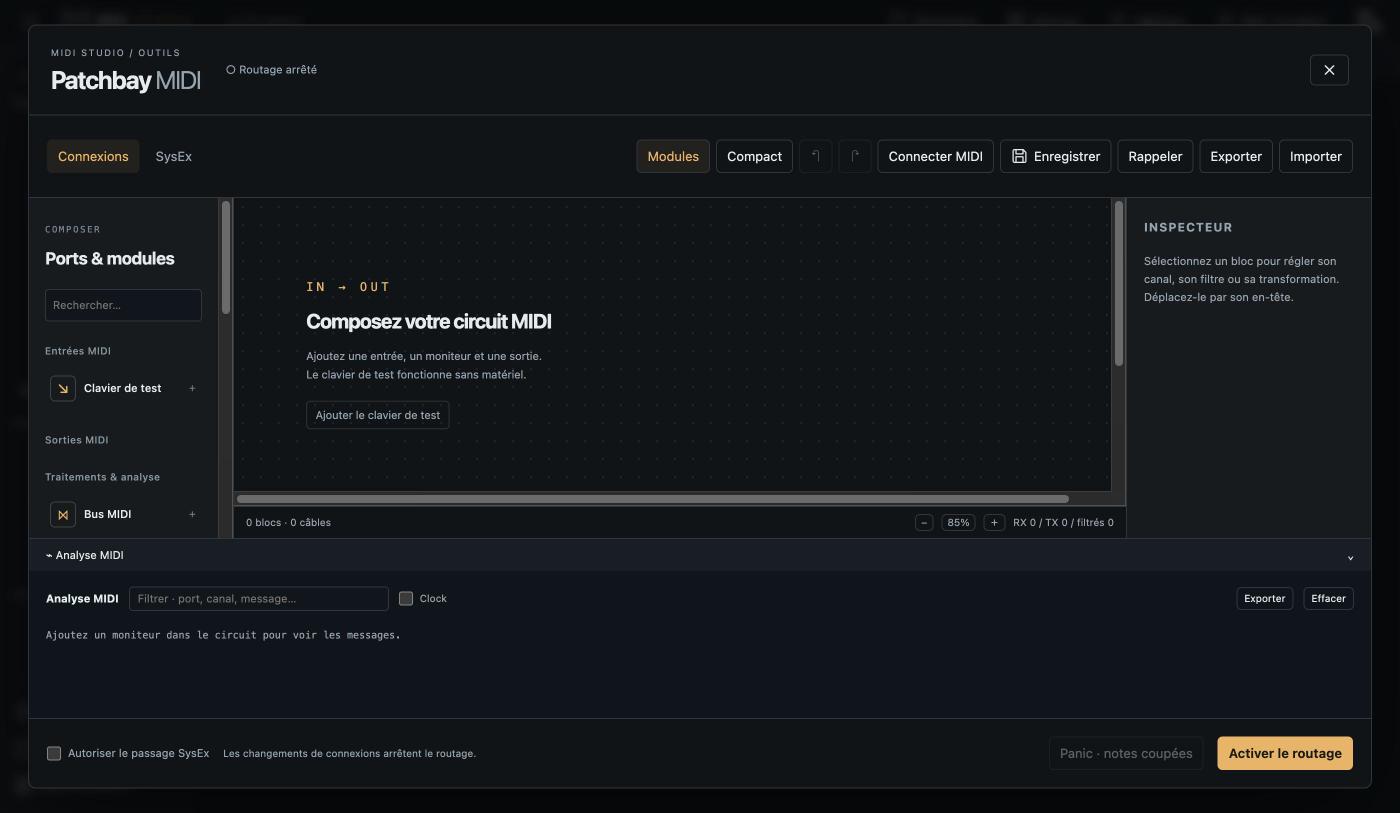
- MIDI Patchbay: build your MIDI circuit from blocks (inputs, outputs, bus, monitor, filters, test keyboard), wire them with cables, analyse the flow; nothing is routed until you arm it.
- MIDI Translator (experimental): raw MIDI / SysEx templates, logical values, fan-out, simulation.
Modules
24 editors in 11 families. The normal catalog only shows qualified editors. Add ?beta=1 to the address to also show beta and in-development editors, with a badge. This setting is never remembered.
| Family | Models | Availability | Links |
|---|---|---|---|
| BCR32 Studio | Behringer BCR32 | Catalog · standalone app | Open · Code |
| B-Control | Behringer BCR2000, BCF2000 | Beta | — |
| X-TOUCH ONE | Behringer X-TOUCH ONE | Catalog | — |
| X-TOUCH | X-TOUCH MINI, X-TOUCH COMPACT, X-TOUCH, X-TOUCH EXTENDER | Beta | — |
| Access Virus | Virus A, B, C, Classic, Rack, Rack XL | Beta | — |
| Novation Nova | Nova Desktop, Nova II Keyboard, Supernova, Supernova II | Beta | — |
| Roland JP | JP-8000, JP-8080 | Beta | — |
| AI² Studio — new | Korg X5DR + 20 AI² family models | Catalog · standalone app | Open · Code |
| FireworX Studio | TC Electronic FireworX | Catalog · standalone app | Open · Code |
| Mx000 Studio | TC Electronic M3000 / M2000 | Catalog · standalone app | Open · Code |
| Panorama CS12 | Nektar Panorama CS12 | In development | — |
"Catalog" means qualified for the workspace, not finished: everything is still alpha. Nothing has been checked yet on a real BCR2000, BCF2000, Virus, Nova, JP, or on any X-TOUCH other than the ONE.
BCR32 Studio — Behringer BCR32
- Detailed front panel with the OLED display, live CC / NRPN control (14-bit, relative modes).
- LED brightness written to the device and read back; firmware and global settings read (writing globals is disabled for safety).
- Import of the controller's binary export, printable PDF panel sheets, Cubase MIDI Remote surface export, 8 languages, themes, zoom.
- Not yet: the sequencer, and live sending of the other assignment types (kept locally).
B-Control — Behringer BCR2000 and BCF2000
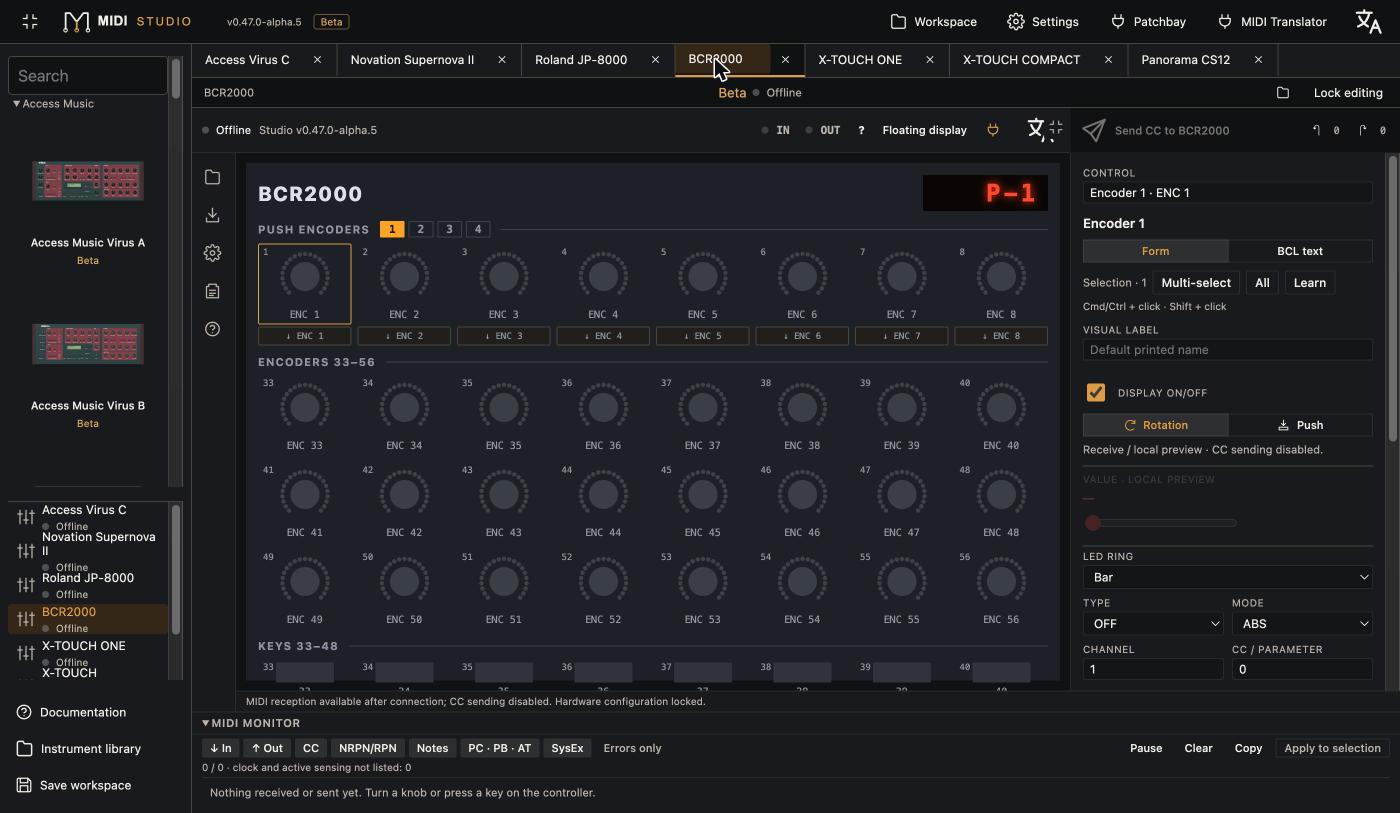
- BCR2000: 32 push encoders in 4 groups, 24 lower encoders, keys, 2 footswitches. BCF2000: 8 encoders, 8 motor faders, expression pedal. 32 presets each.
- Live control: CC / NRPN (absolute 7 / 14-bit and six relative modes), Note, Program Change, Pitch Bend, Aftertouch, GS / XG. Incoming MIDI updates the screen.
- SysEx read of the current preset, a chosen slot, preset names, the global setup or a MIDI snapshot.
- BCL files (.bcr / .bcf / .txt or .syx) import and export, project JSON, library, drafts, undo / redo, with a report of what could not be converted.
- Full BCL forms, rectangle multi-select, batch editing, 12 LED-ring styles displayed.
- Not yet: writing to the device from the interface.
X-TOUCH ONE — Behringer
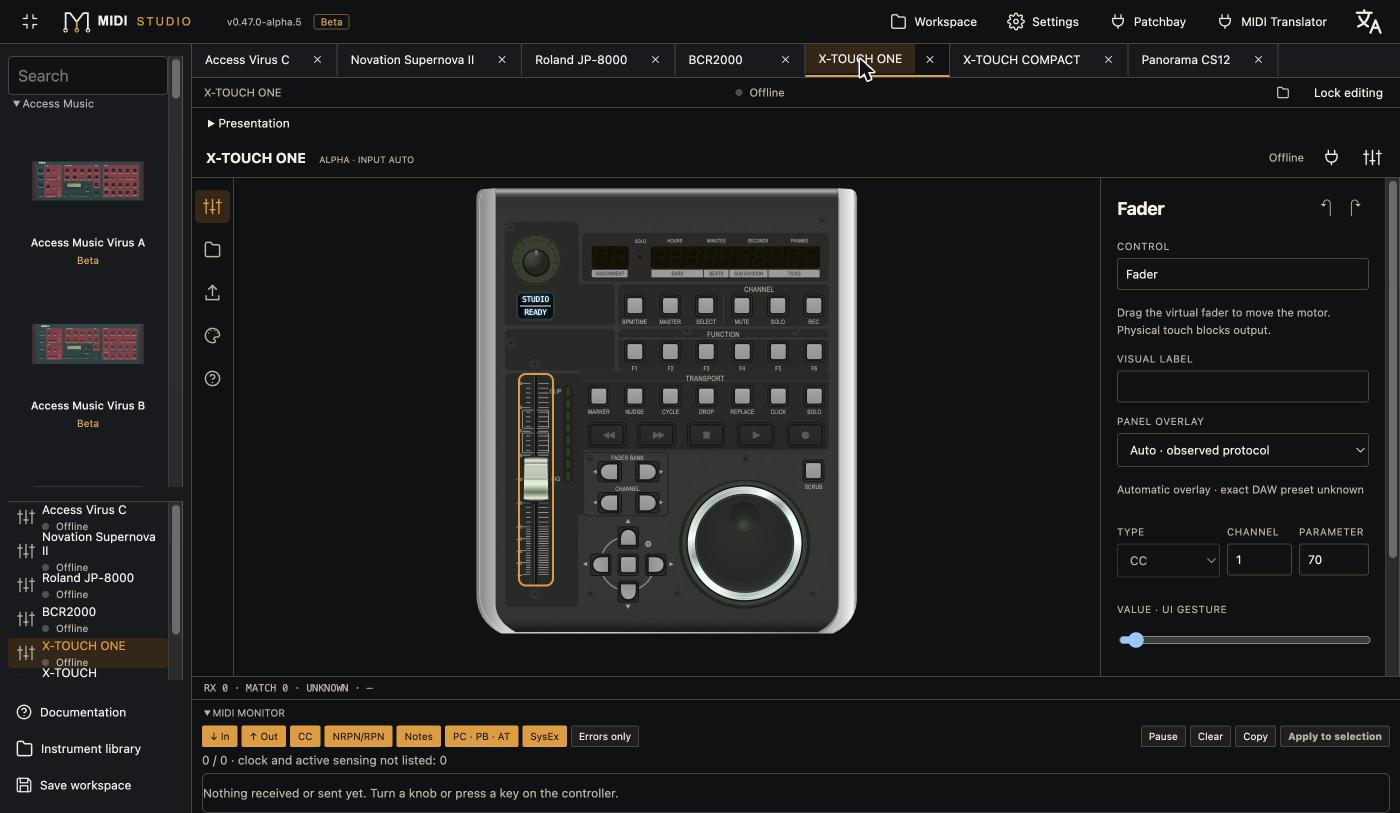
- Live MCU control: keys, encoder, motor fader, jog wheel. The fader only resyncs when you let go, never while touched.
- Parameter names shown on the controller's display, LEDs and rings driven automatically.
- Overlays for 14 hardware modes (MC Std / Live / Cubase / Logic / Studio One / Reaper / Tracktion / User, HUI, MIDI / CC). Auto mode recognises the incoming message family (MCU or MIDI).
- One-turn jog calibration, local MIDI Learn, last received message in the inspector.
- Not yet: HUI input decoding, reprogramming the internal assignments.
X-TOUCH family — MINI, COMPACT, X-TOUCH, EXTENDER
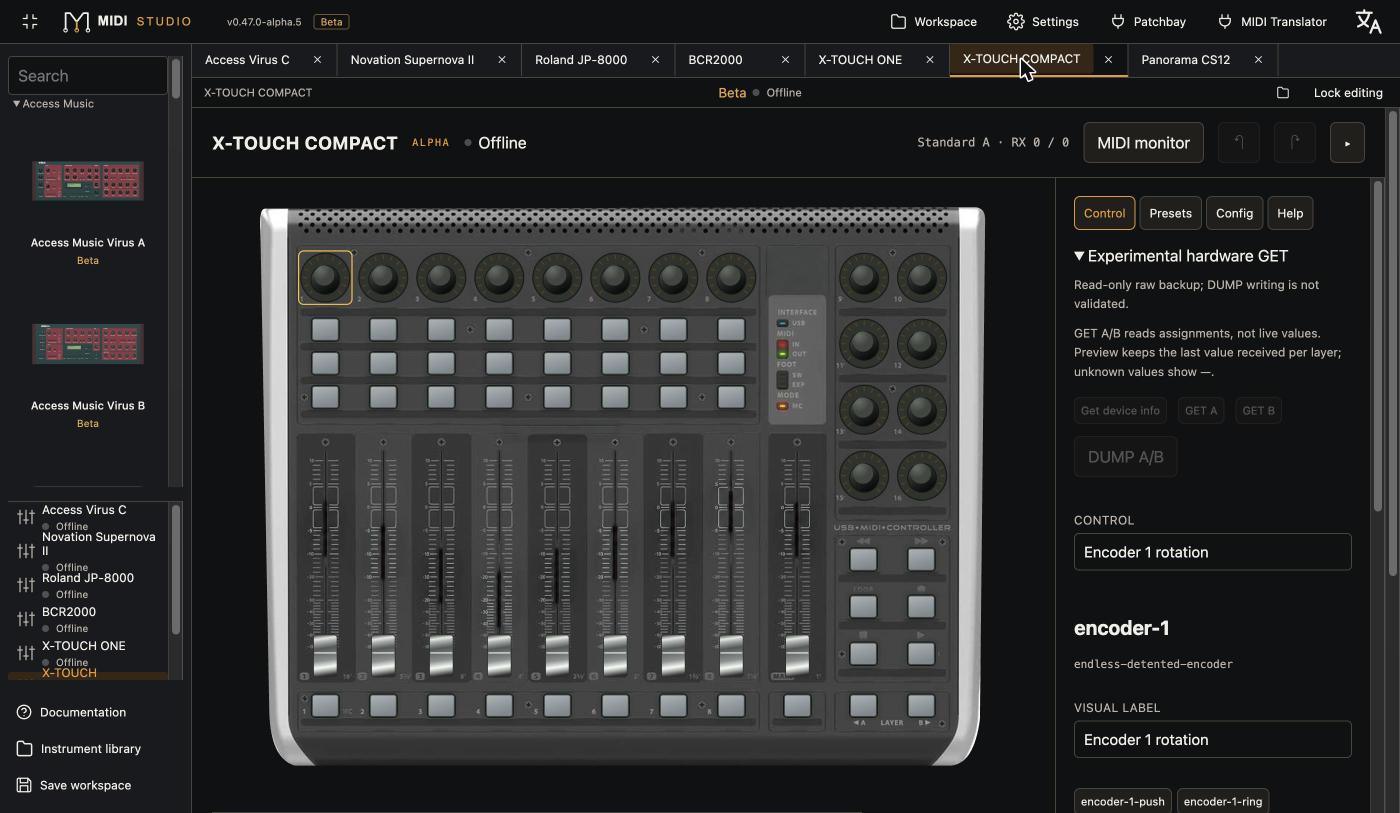
- Realistic front panels. Standard A / B and MCU modes (MINI, COMPACT), MCU and MIDI (X-TOUCH), MCU / CTRL / CTRL REL (EXTENDER).
- Live feedback: LEDs, rings, meters, timecode display. Motor faders only move when enabled.
- LCD text and colours on the X-TOUCH and EXTENDER.
- MINI and COMPACT: experimental device read (info, A / B layers), raw backup and active-layer following. COMPACT: .bin layer files imported, edited and exported offline.
- All four: local MIDI Learn, monitor, search, 50 local presets, JSON import / export.
- Not yet: writing to the device (DUMP); none of these four models has been tested on real hardware.
Access Virus — A, B, C, Classic, Rack, Rack XL
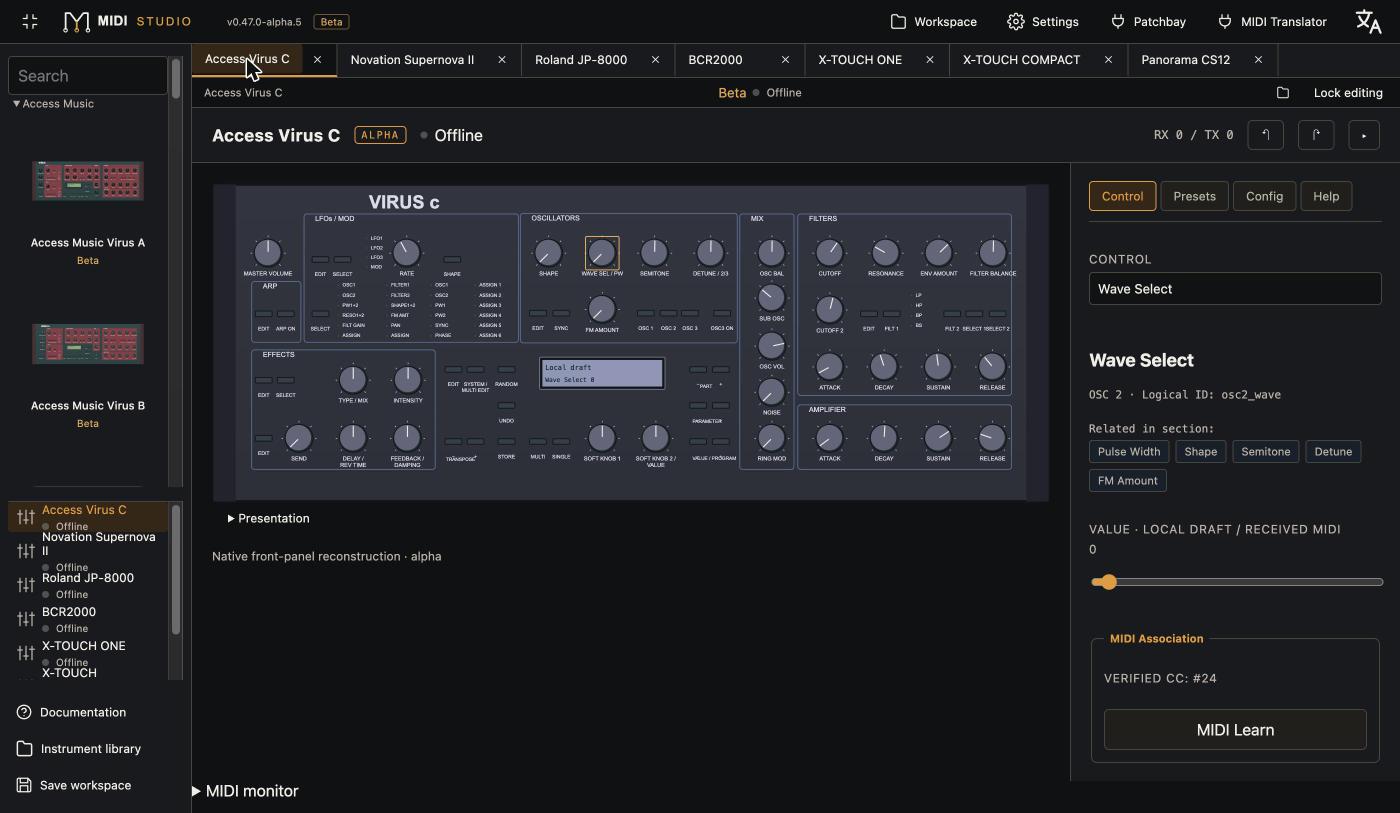
- Six distinct front panels, rebuilt from the documentation.
- Live editing of about thirty verified parameters (oscillators, mixer, filters, envelopes, LFOs, effect send); sending is armed explicitly.
- Edit-buffer read (Single or Multi part) by SysEx, with length and checksum checks; a rejected reply never replaces the draft. Patch name decoded.
- Receive-only MIDI Learn, LCD showing the last change, local presets, library, 100-step history, lock.
- Not yet: sending a full patch, writing to banks, the modulation matrix.
Novation Nova — Nova Desktop, Nova II Keyboard, Supernova, Supernova II
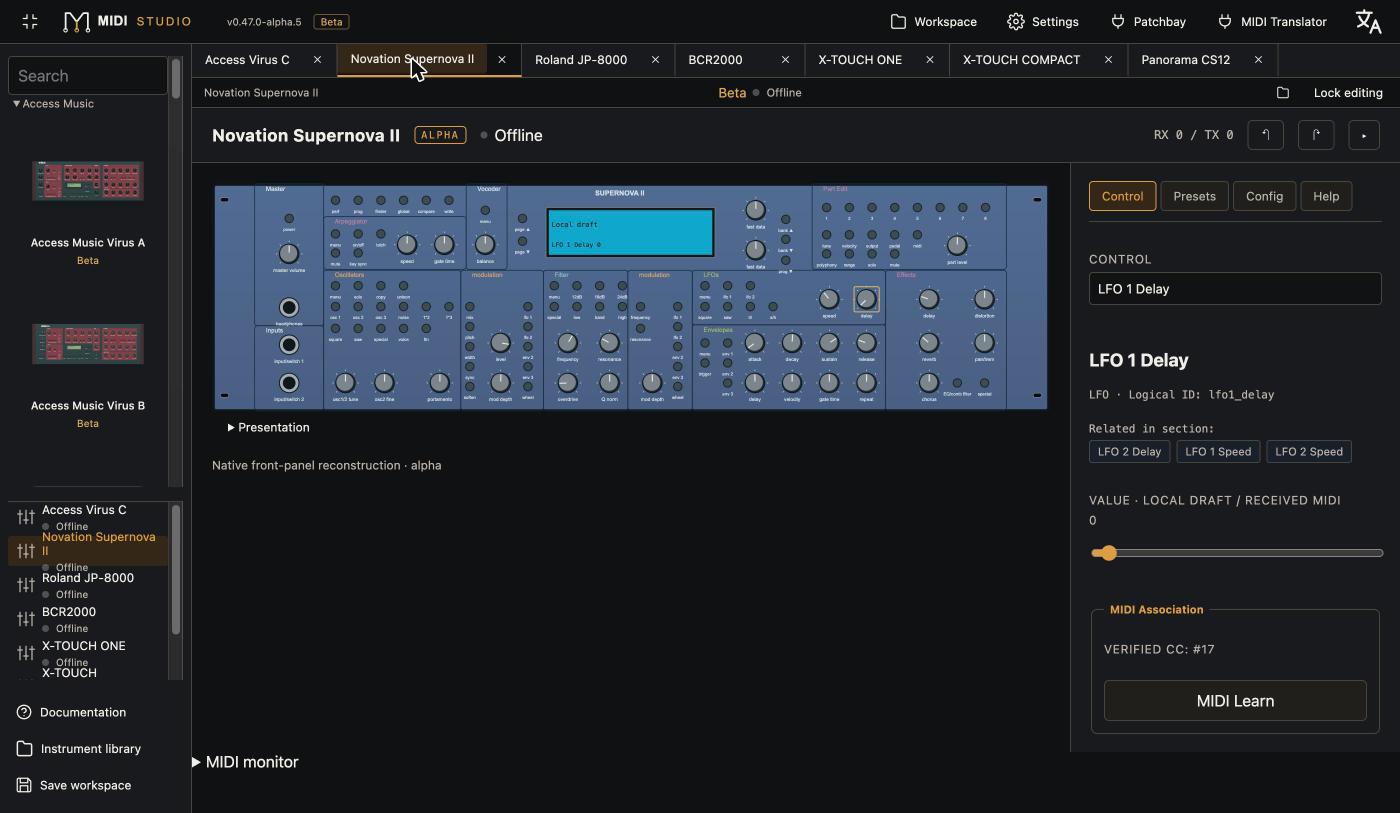
- Four front panels (desktop, keyboard with wheels, two racks), vocoder flagged on the Nova.
- Live CC editing of about 25 verified parameters: oscillators, mixer, filter, envelopes, LFOs, effects.
- Same tools as the Virus: Learn, monitor, presets, library, history, lock.
- Not yet: patch read (no verified request, so it is refused), packed NRPNs.
Roland JP — JP-8000 and JP-8080
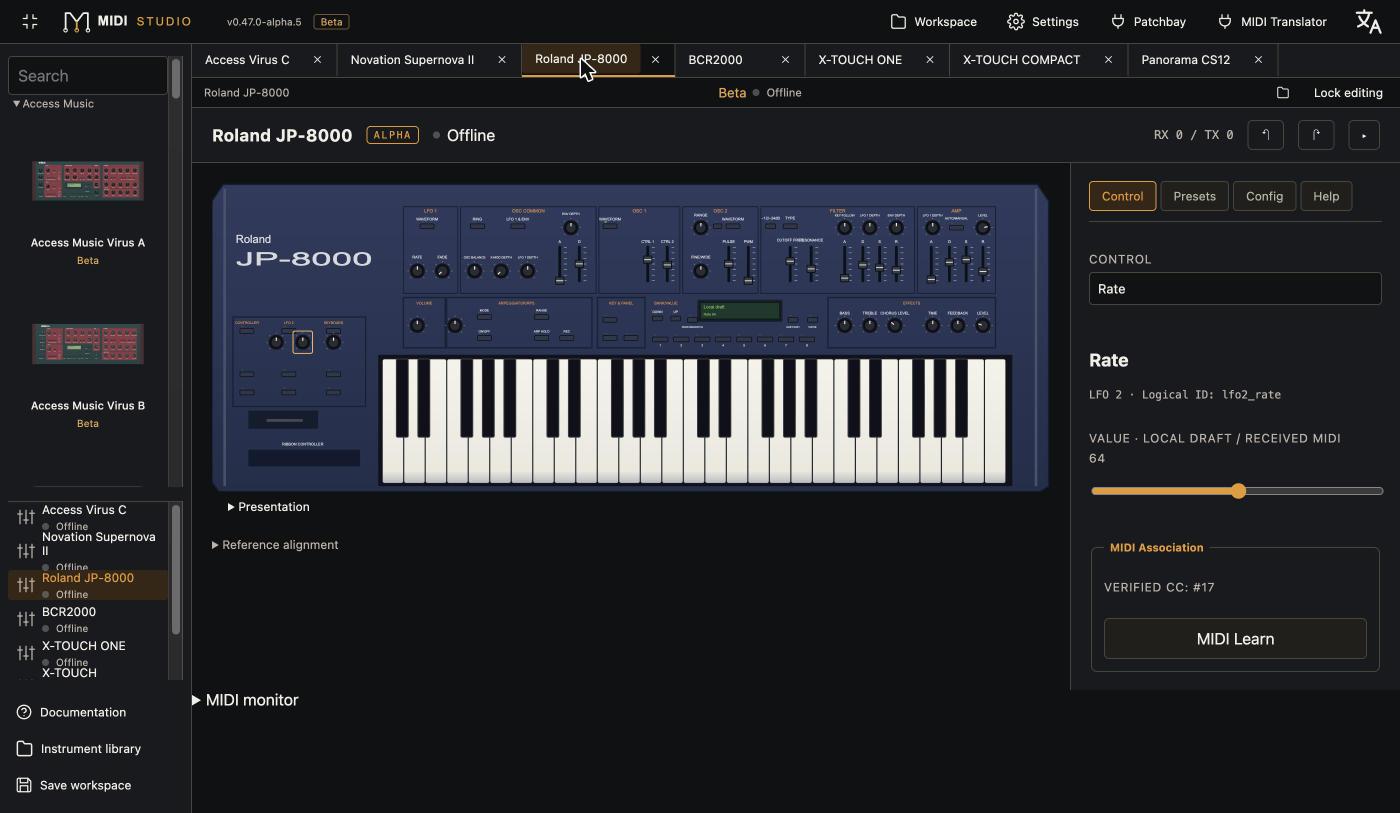
- JP-8000 front panel with 40 controls, optional comparison overlay with the original unit; separate rack panel for the JP-8080 with its vocoder parameters.
- Live editing of about 37 verified parameters, from Roland's factory CC tables.
- Expected synth mode selector (Mode 1 or Mode 2): Mode-2-only parameters are not sent in Mode 1.
- Not yet: patch read and send.
FireworX Studio — TC Electronic FireworX
- Effect chain on a grid, modulation matrix, estimated DSP cost.
- Preset read and send to the edit buffer, banks, random variations.
Mx000 Studio — TC Electronic M3000 / M2000
- Live M3000 editing by SysEx: read, recall, send the preset to the buffer, user memory after confirmation.
- Offline M2000 editing, SysEx file import / export, copy from one unit to the other, model slider.
Panorama CS12 — Nektar (in development)
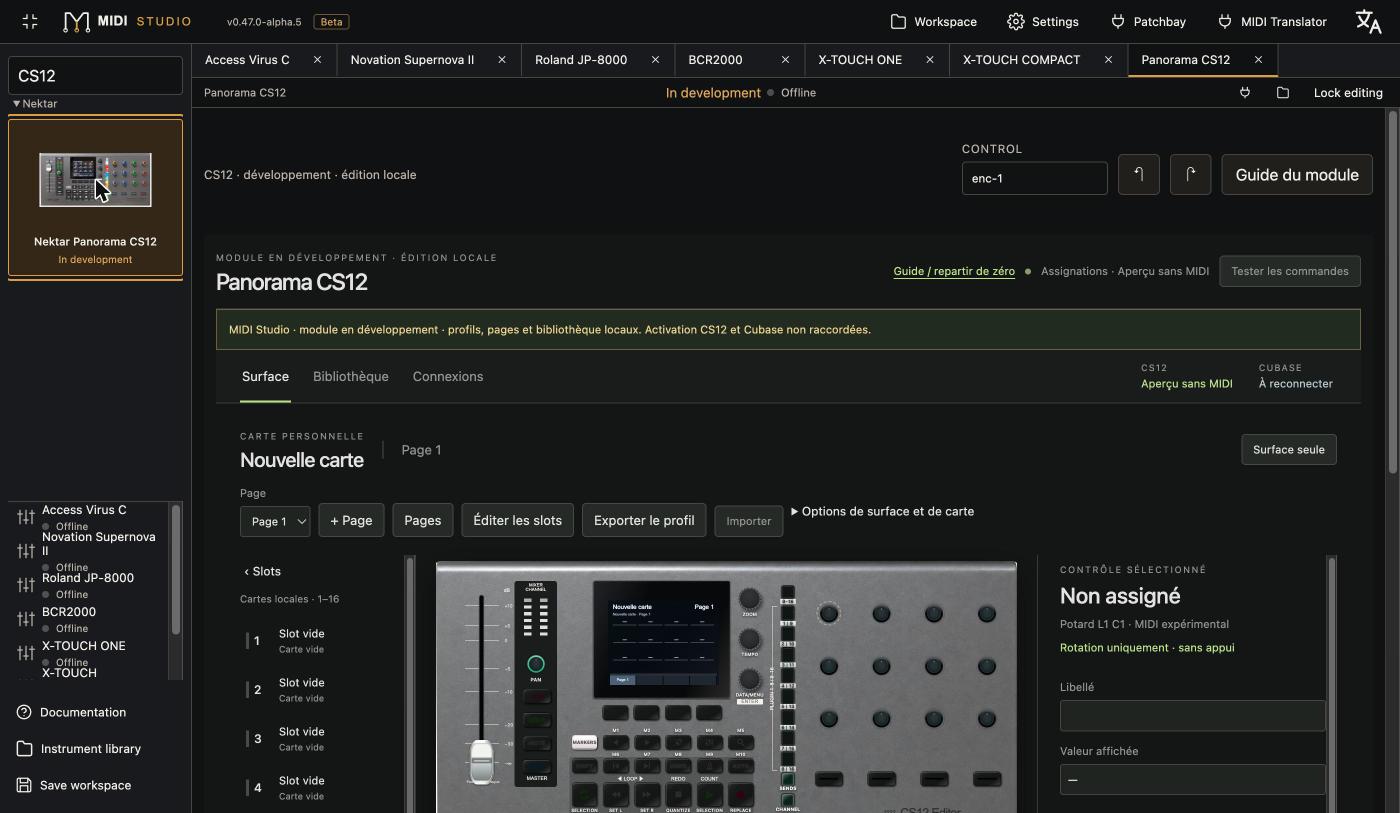
- Local profile editor: Surface, Library and Connections pages; controls, labels, mappings, pages, cards and templates.
- Profile JSON import / export with full validation, saved in the workspace.
- Not yet: talking to the CS12 (inputs, motor, LEDs, screen), Cubase integration.
🆕 AI² Studio — Korg X5DR and the whole AI² family
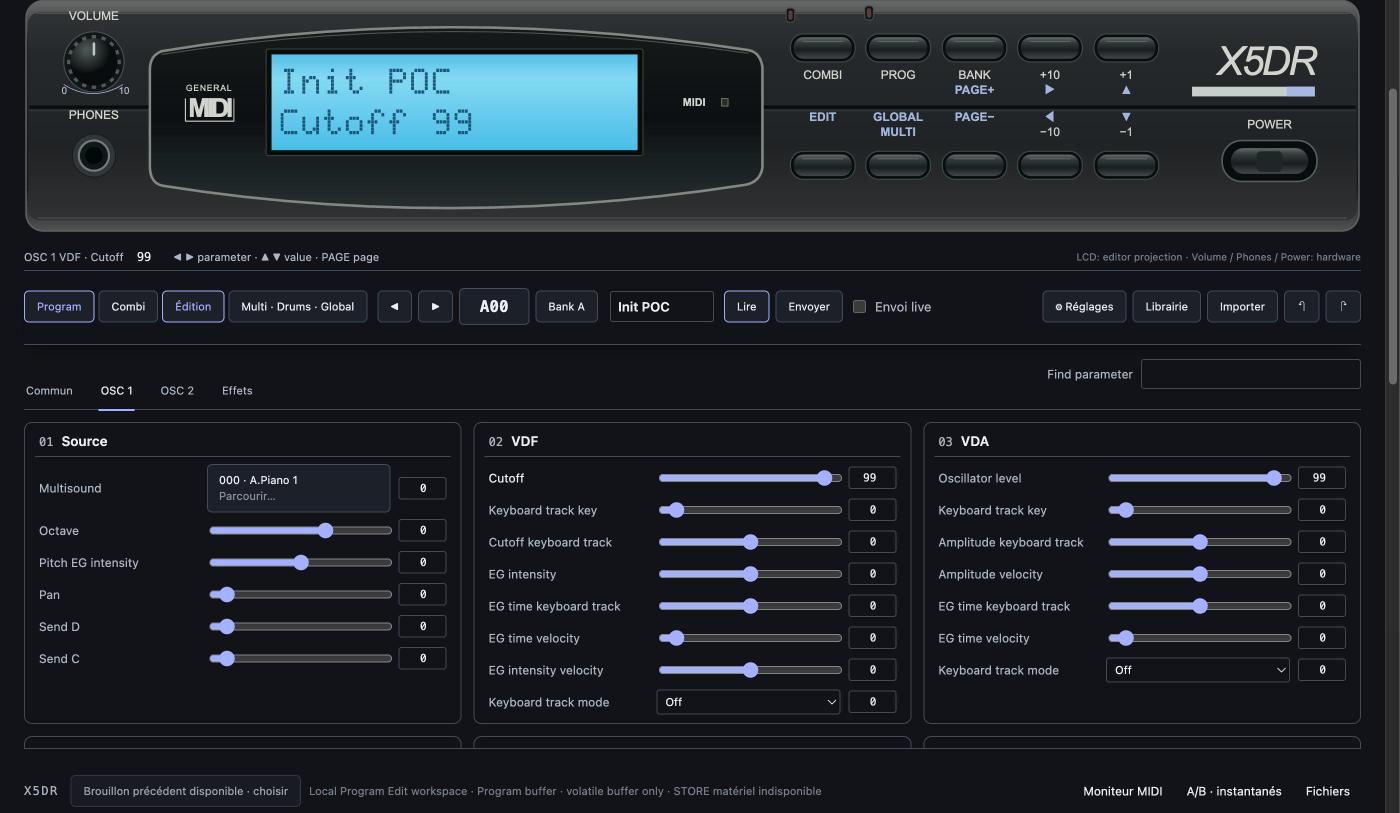
- One workstation for 21 models, picked from a slider in release order (1991–1999), each with its keys / module, family, ROM and what is available.
- Faithful X5DR front panel whose LCD shows what the unit shows (Combination name over the Programs of timbres 1–4, COMBI for 5–8) and whose keys drive the editor; a modern view is also available.
- Aligned oscillator columns (Source / VDF / VDA, then their envelopes) and draggable envelopes inside their cards, for all 21 models.
- With the X5DR connected: automatic identification, name and buffer read on every Program / Combi change, auto edit with read-back, 100-Program / 100-Combination bank reads, Multi, Drums (120 records), Global and full backup, 47 effect algorithms with the X5DR pairing rule, MIDI keyboard / controller input with Panic. Never a STORE.
- Combi: stacked-keyboard layout of the 8 timbres with draggable zones, Mute / Solo, and a click on a timbre to browse Programs (bank A, General MIDI bank G with its real names, library banks).
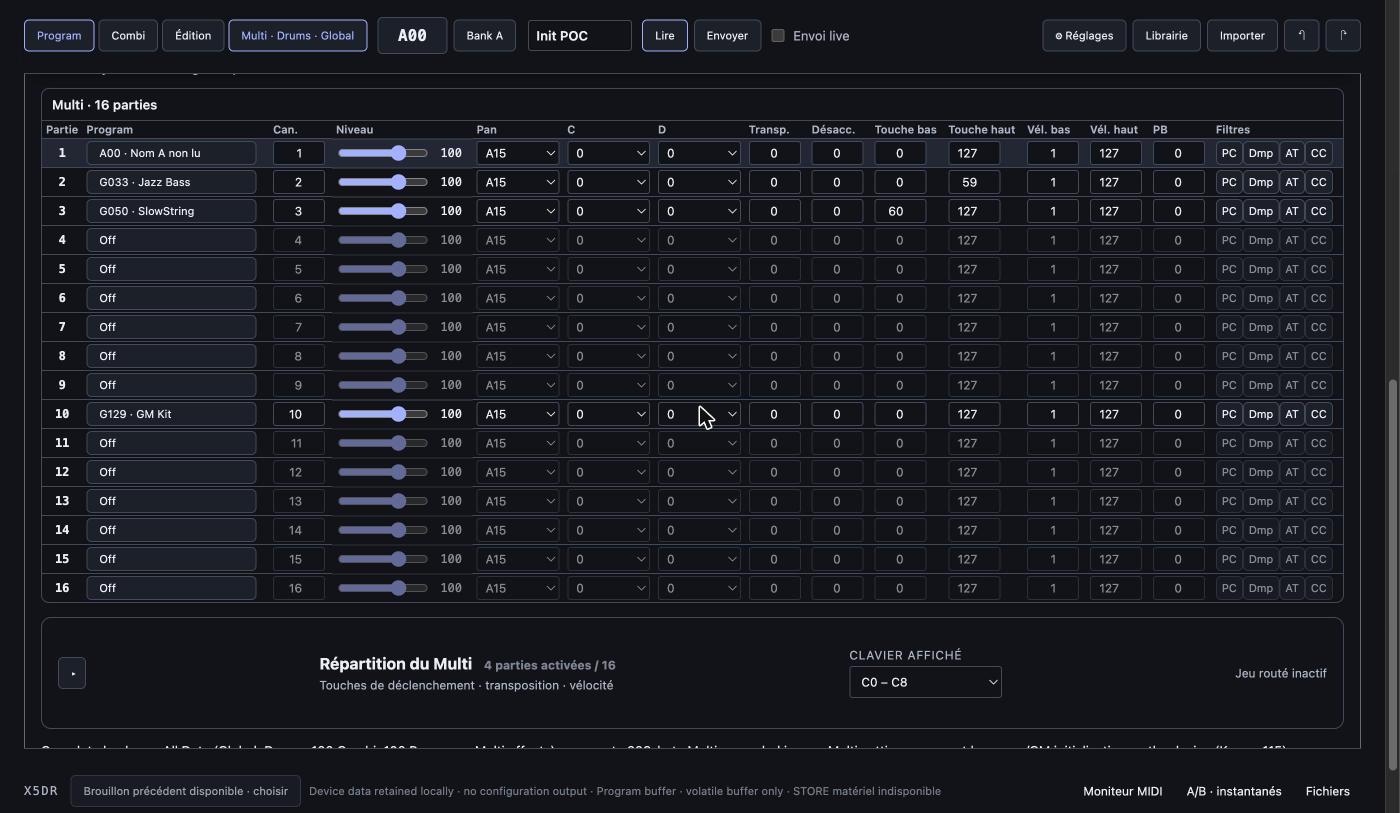
- Multi: all 16 parts and their parameters at once, plus the same keyboard map, foldable.
- Files and conversions: automatic family / format detection on import, originals kept; offline conversion between the 21 models (420 directions) with a report listing source bytes, SHA-256, rules, adaptations, losses and dependencies; SysEx and JSON export, ZIP library backups.
Limits
Only the X5DR is edited over MIDI; the other 20 models are edited as files, with provisional front panels. A conversion between models is never a full sound equivalence: the report says exactly what was carried over.
Compatibility: Chromium browser (Chrome, Edge, Brave) with Web MIDI and SysEx permission.